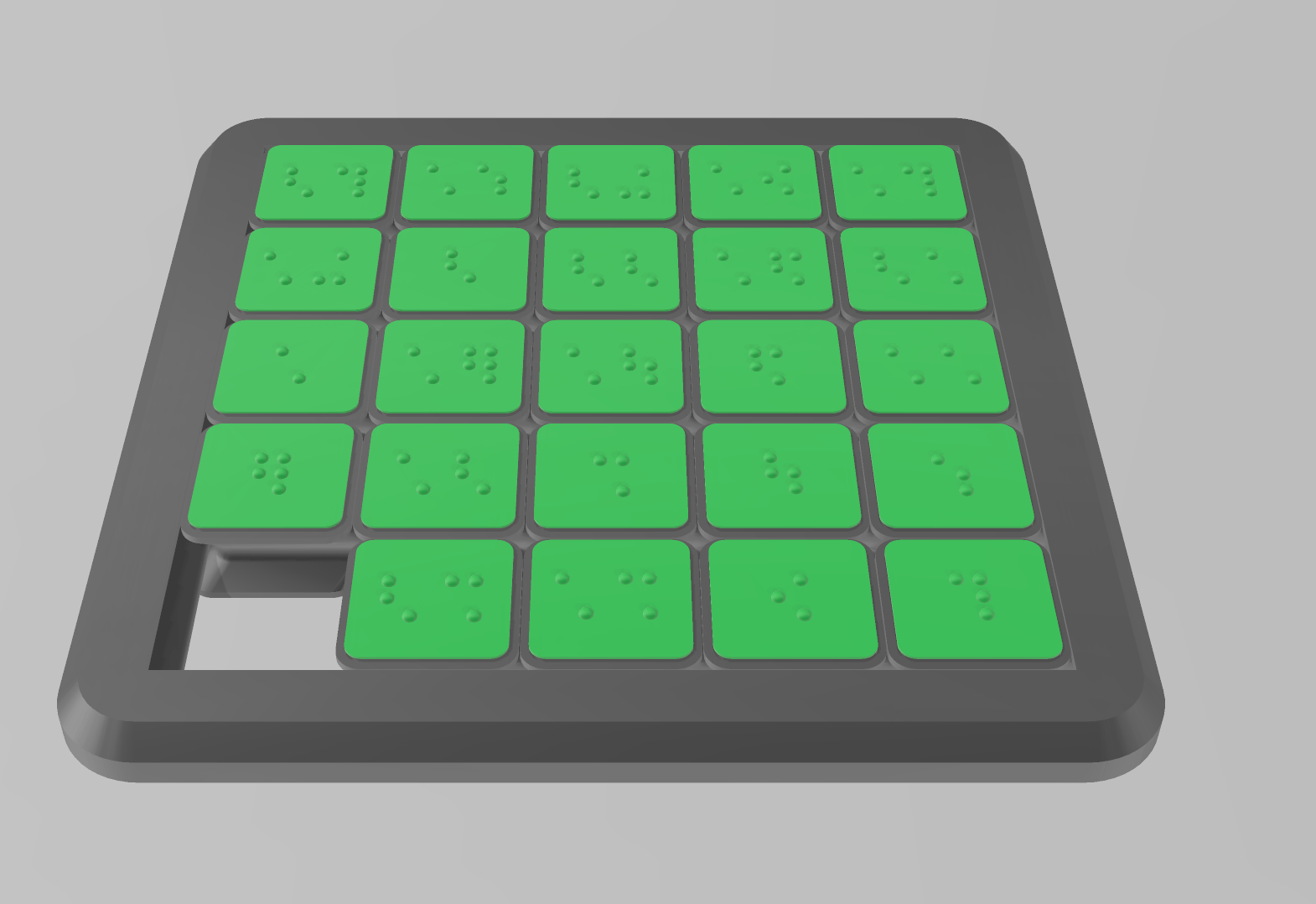
The puzzle works by sliding one of the 24 pieces around at a time. The pieces of the puzzle are numbered 1 to 24 in 8-Dot Braille. The aim of the puzzle is to push the number tiles back into the correct order. The sliding puzzle is a fun and challenging logic exercise and also strengthens concentration, problem-solving skills and number sense. The model is based on the one from zcassell and has been adapted and optimised accordingly for our user group. Das Puzzle funktioniert so, indem man jeweils eines der 24 Teile herumschiebt. Die Teile des Puzzles sind mit 1 bis 24 in 8-Punkt Braille nummeriert. Ziel des Puzzles ist es die Zahlenplättchen in die richtigen Reihenfolge zurückzuschieben. Das Schiebepuzzle ist eine lustige und herausfordernde Logikübung und stärkt dabei auch noch Konzentrationsfähigkeit, Problemlösekompetenzen und Zahlenverständnis. Das Modell basiert auf dem Modell von zcassell und wurde ensprechend für unseren Nutzerkreis angepasst und optimiert.
Subject: Language
-

Dice with Letters M, L, F, N, S, P, T, H (normal font)
The dice is intended for – letter games with the first graders – Picking out the diced letter from the letter cards – Rolling the dice and naming the corresponding words – phonological awareness exercises etc. The dice has 8 sides with the letters M, L, F, N, S, P, T, H
-

Braille Phonics Twister
There are 2 different versions of this twister for students to explore and experiment with braille (UEB). Students can turn each part of the twister to make new words. There are plenty of combinations that work, whilst avoiding common contractions. CVC (Consonant, Vowel, Consonant) Make and break words with the CVC word twister. The braille letters on the prints are 1: b, r, s, d, p 2: a, e, i, o, u 3: m, p, t, g, y Magic E/Silent E/Bossy E Explore how adding an E to the end of a word changes the sound of the earlier vowel. The letters on the twister are d, g, m, r a, i, o, u m, n, p, t e, blank, e, blank Remix of Customizable Phonics and Math Twisters You may need to change the file paths for the Shortcut.scad and the Braille Script.scad at the top of the CVC/Bossy E files so they work correctly, or use your own Braille Script if you prefer.